
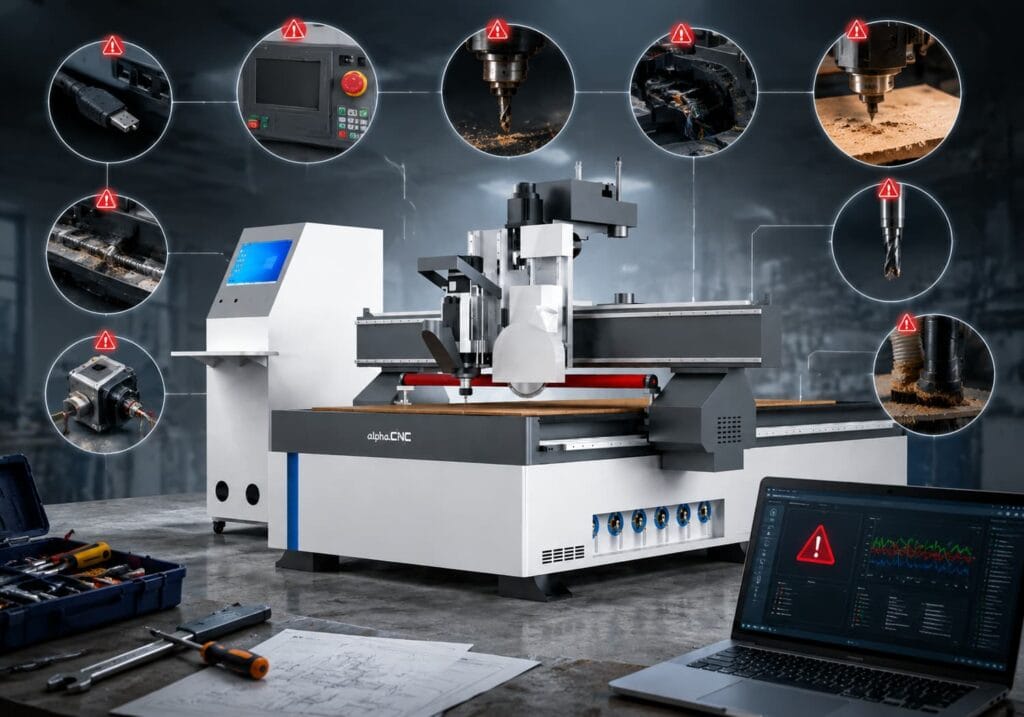

CNC machine users always encounter problems daily like CNC router stopping without notice, cutting not accurate, spindle overheating, abnormal vibration, or poor surface finish. This guide is for CNC Router operators, furniture manufacturers, workshops, and CNC machine users who want to find issues fast to minimize downtime.
Quick Troubleshooting Checklist
Using CNC router for a long time, the abnormality of equipment is usually not simply the damage of a single component or aspect of this problem involves multi-faceted fields: mechanical aspects, electrical performance areas, control system aspects, machining parameters and daily maintenance issues.
Based on the common problems encountered during the actual operation of CNC router, we have summarized the following quick troubleshooting checklist to help you find out the possible causes from machine symptom and also assist in prioritizing inspecting components that are more prone to problems under each type of case.
| CNC Router Problems | Main Causes | Quick Check |
| Cannot Connect to Computer | Cable, driver, software settings | Check communication cable and controller settings |
| Cannot Start | Power supply, emergency stop, limit switch, electrical issues | Check power, emergency stop, and alarm messages |
| Stops During Machining | Mechanical blockage, overheating, communication failure | Check axis movement, cooling system, and cables |
| Has Abnormal Vibration | Loose parts, poor workpiece fixing, machine resonance | Check clamps, screws, and machine leveling |
| Spindle Overheats | Cooling failure, dust blockage, overload operation | Check coolant, fans, and spindle load |
| Tool Breaks | Wrong tool, tool wear, incorrect parameters | Check tool condition and cutting parameters |
| G-code Errors | Wrong code format, controller mismatch | Check G-code file and post processor |
| Axis Positioning Errors | Loose transmission parts, stepper motor losing steps, servo signal interference | Check mechanical components, motor parameters, and signal connections |
| Loses Accuracy | Loose mechanical parts, motor issues | Check tools, spindle condition, and machining surface |
| Dust Collection Problems | Filter blockage, pipe blockage, fan failure | Clean filters and check vacuum system |

If you encounter a problem that cannot be solved,before contacting technical support, record these five things:
- Controller model
- Alarm code
- Machine model
- What operation was running
- What changed before the problem appeared
1. Why Can’t My CNC Router Connect to the Computer?
CNC routers usually connect to computers with USB or Ethernet. Both CNC machines and computers are precision instruments.
There are some problems with the communication of the CNC Router and the computer that prevent connection, for example: bad communication cable routing , incorrect installation of the drivers, errors in configuring software or optimally with a controller.
Common Causes
- Loose or Broken Cables: The computer and the CNC controller need communicate over a data cable. If the USB port cable is loose or the network cable is broken, it will lead to poor contact with the interface, so that can not send data normally. Computer cannot communicate with the CNC controller or send machining commands correctly.
- CNC Driver Error: Some CNC controllers need driver installation. Not installing drivers, having outdated driver versions and incompatible drivers with the system will all cause the computer to not be able to detect the CNC machine.
- CNC Control Software Configuration Error: When the software is configured to use COM3 port, but the CNC is connected to COM5, the software will not find the machine. Or the configuration file of the software (like Mach3. xml) could be corrupted or the profile may not match.
Solutions
- Check the Communication Cable or Interface: You need to connect the interface cable tightly between the computer and CNC machine, then try to change with a new USB cable or Ethernet cable.
- Reinstall or Update CNC Drivers: You can reinstall the right CNC driver software or update the driver software.
- Verify the CNC Machine Software Configuration: Launch the control software (e.g., Mach3) and go to the connection settings, then choose your COM port number by checking your Device Manager. Verify if you are using the correct software configuration file for your controller model, and if necessary restore the default configuration or reimport.
- Reboot CNC Machine and PC: You may be experiencing communication errors while connecting. You can also try rebooting the computer and machine to refresh the connection and communication.
2. Why My CNC Router Not Working?
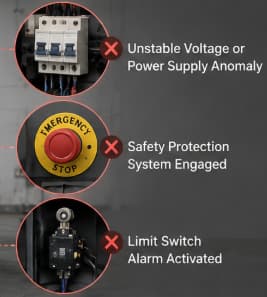
Based on our after-sales experience, one of the first things many users do when they encountered a machine that won’t start is to check if power supply issue. Actually, CNC router usually does not work because an emergency stop is still engaged, a limit switch alarm has activated or protection system triggered.
Common Causes
- Unstable Voltage or Power Supply Anomaly: the CNC machine is required to supply power to spindle, motor, control system and so on at the same time. If the power input is fluctuating greatly or undervoltage and overvoltage occurs, the machine will protect itself.
- CNC Router Safety Protection System is Still On: CNC machines usually have emergency stop buttons, limits switches, and other protectors. If the emergency stop button is not released after pressing, the CNC machine will be in a locked state; on the other hand, if one axis is already in the limit position prior machine start, triggering the limit switch, the system will consider the machine is in an unsafe state and it won’t start normally.
- Internal Electric Connections or Machine Wear: CNC machines will vibrate during long-run which will result in slow loosening of electric connection wires and power or control signals could not be transmitted effectively. Damage to sensor circuit may also lead to that system can not recognize the status of the device. At the same time, the changing of the temperature in electrical cabinet will also make the parts in the electrical cabinet age.
Solutions
- Check the Supply Voltage Is the machine connected to the power supply, is the air switch tripped, is the power indicator light normal. Use a voltmeter to check if wick is ok. If it’s ok Use a multimeter to check the voltage at the socket or near the machine.
- Release the Security Protection System: Release the emergency stop button by rotating or pulling it according to the machine design. Check if there is any alarm prompt in the control system more. In case of a limit alarm, it is necessary to confirm the position of the mechanical shaft, to bring the equipment back to its normal range.
- Inspect CNC Machine Electrical Control Cabinet: Check if there are any obvious problems inside the cabinet, such as wires come off, burnt marks, smell unusual, etc. Also, check if any external wires are broken. The internal elements of an electrical control panel, relays, power modules, main control boards, are high voltage and multi-layered circuit, making them impossible to inspect or repair. Self repair could result in electrocution problems. We recommend to contact your local electrician or service person for work on electric items.
3. Why Does My CNC Router Stop Suddenly During Machining?
In real production environments, CNC router sudden stops happen because of gradually developing issues such as dust accumulation, loose cables, inadequate lubrication or overheating after a long time in operation.
Common Causes
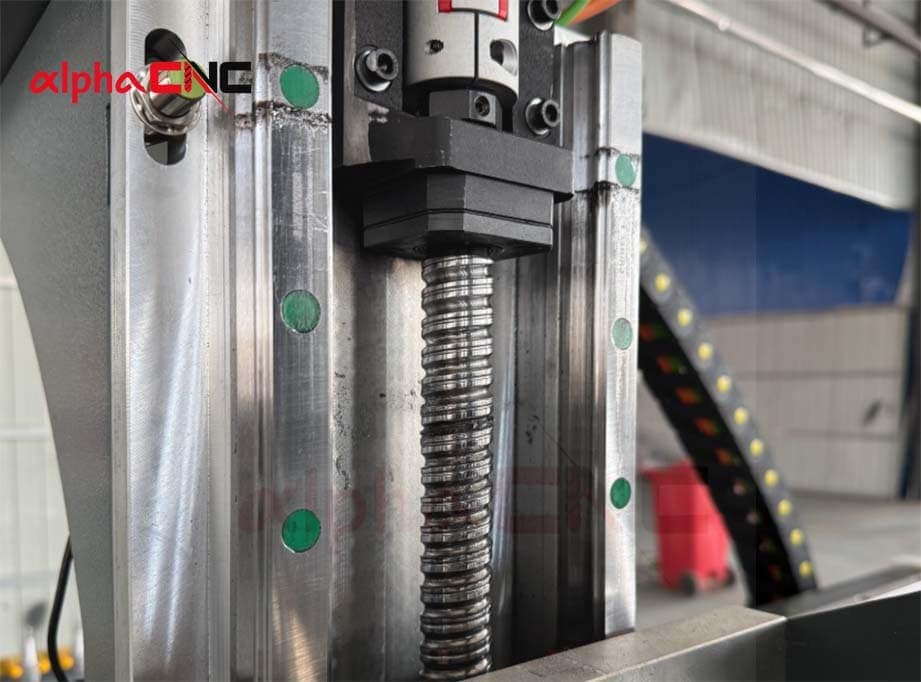
- Mechanical Component Jamming: Poor lubrication of the guide rail, deformation of the ball screw or the bearing, etc. can cause the resistance between the shaft and the mechanical component to increase when the shaft is moving, resulting in mechanical component jamming which stops the machine from running.
- Interference of USB/Network Communication: USB cables which are too long, poor quality, loose interface vibrates generated in processing may cause network disconnect right away. The computer control software, if it does not receive any feedback from the controller or the instructions, will generate an error and halt the machine from running.
- Bad Heat Dissipation of the Equipment: The fan of the control cabinet is blocked, too much dust, the driver or the power module is overheat and then over-temperature protection is triggered and the machine is power off automatically.
Solutions
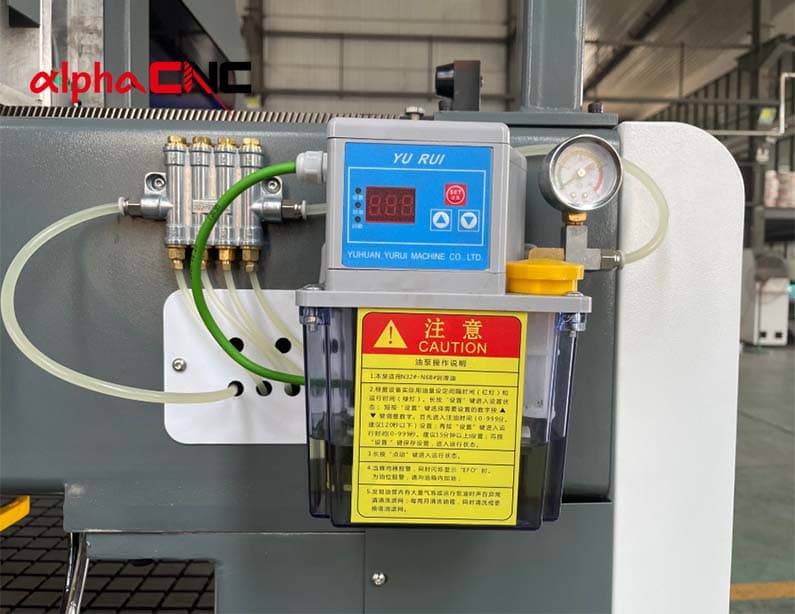
- Manual Check of Resistance on Movement Axis: Observe whether there is resistance while moving along each axis of movement one by one. If it is obviously blocked or jammed, clean off the debris on the guide rail and apply lubricating grease.
- Replace USB Cable: You should replace the USB cable with a shorter and higher quality one. Don’t wrap the USB cable around a spindle, as this will cause it to pick up EM interference.
- Clean CNC Router Cooling System: Open the door of the electrical enclosure and see if All cooling fans are running. Remove dust from the fan blades, radiator fins, and the filter screen using a vacuum cleaner or compressed air.
4. Why Is My CNC Router Vibrating During Machining?
A CNC router usually vibrates because of loose mechanical parts, unstable workholding, improper cutting parameters or machine resonance.
The slight vibration of the machine will affect the surface smoothness of the workpiece, and even bring about tool breakage, spindle bearing damage and the decrease of the machine accuracy in severe situations.
Common Causes
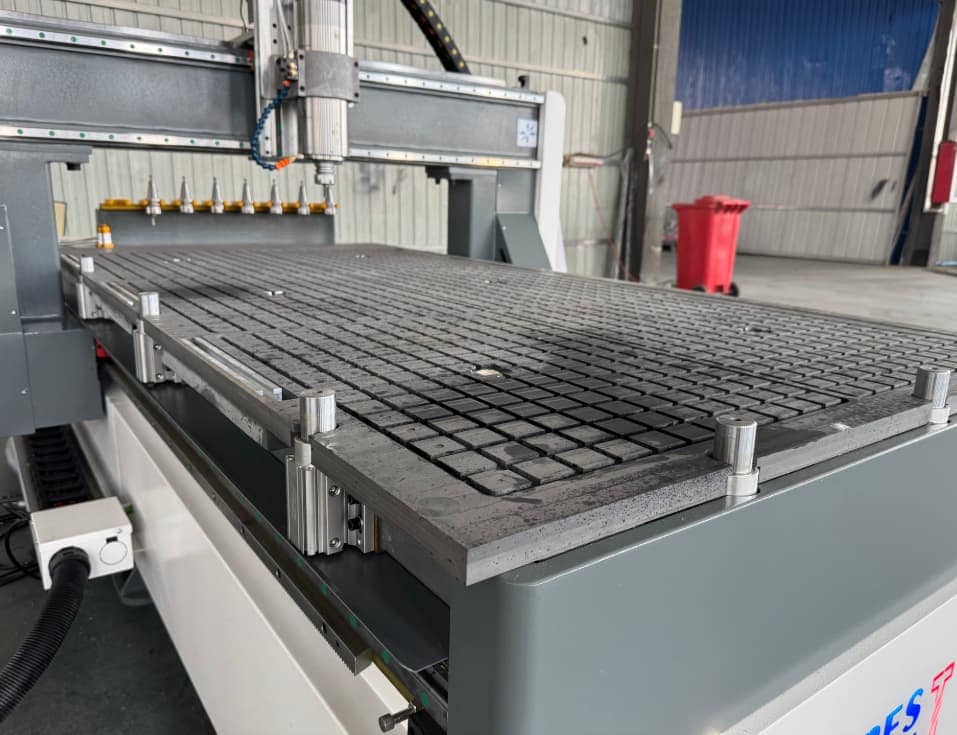
- Workpiece is not Securely Fixed: When the suction force of the vacuum table is not strong or the workpiece is not attached to the pressure plate, the workpiece will shake in the direction of the tool due to the cutting force of the tool, which will make the machine vibrate.
- Mechanical Parts Looseness: If screws, couplings, guide rails, or transmission components become loose they will decrease the rigidity of the machine tool which can cause it to displace or bounce erratically while running.
- Machine Bed is not Solidly Fixed: If the machine tool is not installed properly, that is, the foot base is not correct level or not fixed, it will result in the entire machine frame may vibrate, and the bed will be vibrating during machining.
- Machine Resonance: Every machine has its own fixed resonance frequency. At a spindle rotation frequency close to the natural frequency of the machine tool, the cutting process of the machine will be intensified, and subsequently induce machine vibration.
Solutions
- Clean the Vacuum Suction Table and Secure the Workpiece Using Multi-point Clamps: clean the suction holes and the filter elements of the vacuum plates regularly, inspect the vacuum pump, replace the sealing strips which are used up and keep the negative pressure sufficient for suction. Fix large workpieces with several pressure plates and small or irregular workpieces with auxiliary jigs; Flatten the gaps of the workpiece in advance to make the workpiece fully attached to the table.
- Replace Worn Mechanical Parts: Perform routine machine maintenance, including the mechanical part of the machine. Inspect for worn or old loose mechanical parts and replace them on the spot.
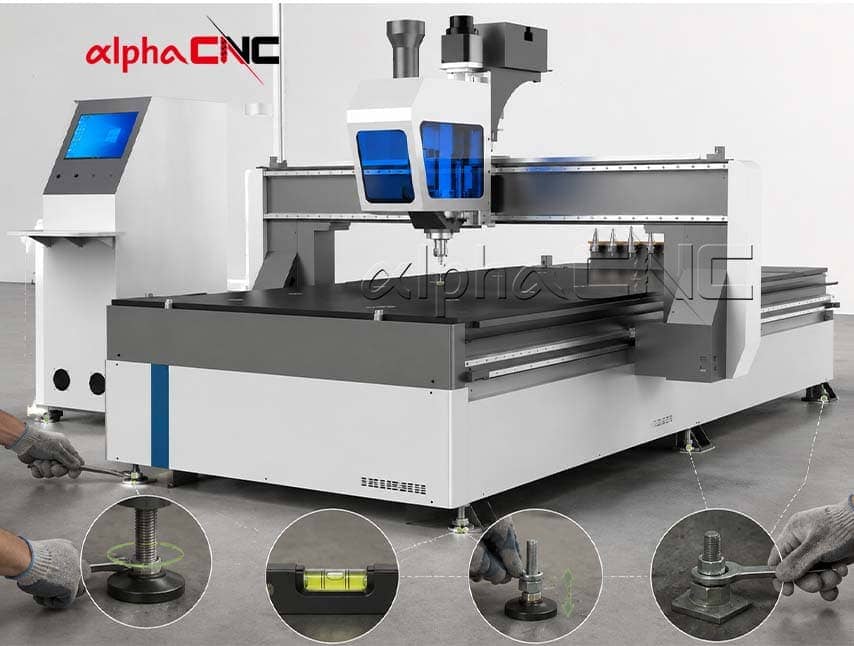
- Body Leveling: Level the equipment body with the bubble level, tighten the feet screws, and adjust the height of the foot pads to make sure even stressing of the equipment in all directions. Carefully examine the frame,running welds on crossbeam, anchoring bolts on frame for any loose parts and secure all loose parts as found.
- Adjust Speed: Should the body resonance only be at a limit of a certain range is equal to rate (rpm), raise or lower spindle speed slightly. If changing the spindle speed does not eliminate the resonance problem, please consult the CNC machine manufacturer.
5. Why Does My CNC Router Spindle Overheat?
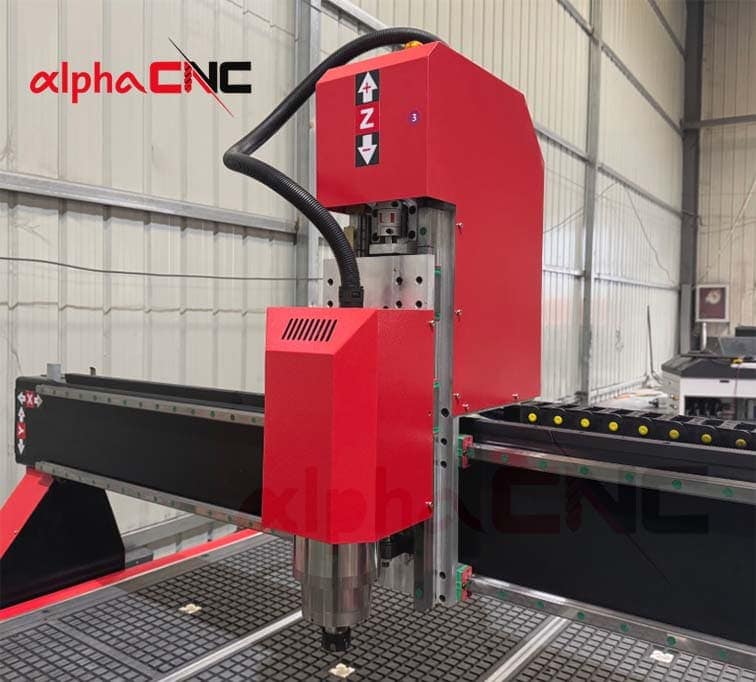
CNC router spindle overheating is a common problem, especially in furniture factories with CNC router for continuous cutting of panels.
Reasons why a CNC router spindle usually become overheated are: failure of the cooling system, excessive dust accumulation, larger cutting load adjusting or working long under high pressure. And avoid overheating problems, you can maintain a more adequate cooling for the spindle system, cleaning between processes and adjusting machining parameters.
Common Causes
- Cooling Failure of Water Cooled Spindle: Due to reasons such as water pump damage, blockage or bending of the water pipe, lack of water in the tank, turbidity and impurities in the coolant and poor circulation of cooling water when used for a long time , it may cause overheating when the spindle is running at high speed.
- Cooling Failure of Air Cooled Spindle: The damaged cooling fan, clogged fan filter and shell dust accumulation in the cooling air duct can all lead to ventilation and cooling. Exceeding spindle temperature!
- Prolonged Operation of the Machine: When the machine runs in a high speed overload state for a long time without timely shutdown and maintenance, CNC router spindle may overheat.
Solutions
- CNC Water-cooled Spindle Maintenance: Replace the coolant regularly, clean scale and debris from water tank, water pipes and water pump, replace bent water pipes, ensure smooth flow of circulating water. If the CNC router frequently undergoes high-intensity machining or is in a high-temperature environment, it is necessary to equip it with a suitable chiller that meets the spindle requirements to ensure that the spindle maintains normal temperature, avoid overheating and performance degradation.
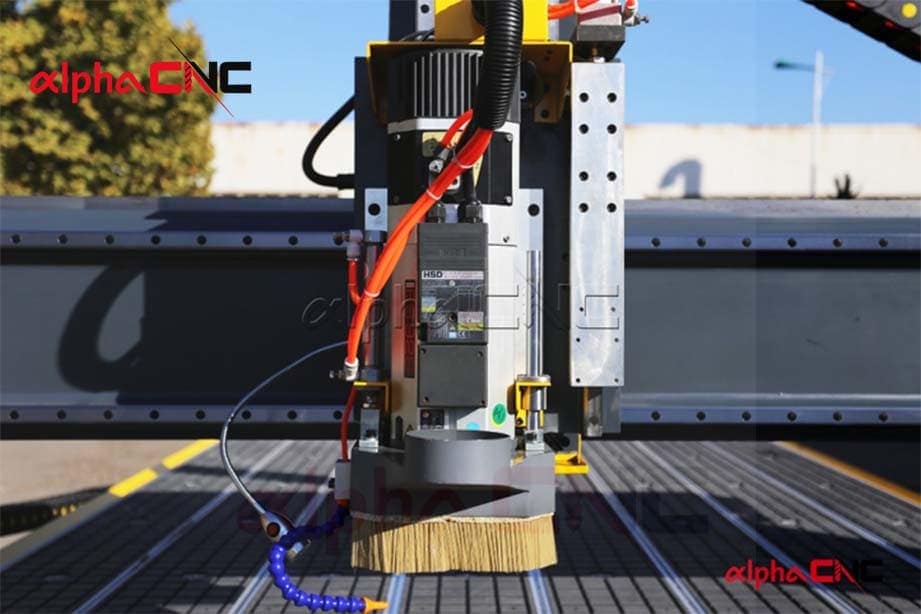
- CNC Air-cooled Spindle Maintenance: Cleaning dust on the fan filter screen in a timely manner. And check whether the fan is running normally, and replace it as soon as possible if the fan does not run.
- Standardized Processing: Do not overload the spindle for a long time during high-speed processing, intermittent shutdown and cooling. Reasonably adjust the parameters, reduce the load of the CNC router spindle.
6. Why Does My CNC Router Tool Keep Breaking?
The most common reasons for a CNC router tool breakage is due to either a fault in the material selected or environmental background and incautious adjustment of cutting settings, thus set incorrectly or undue utilisation of holding forces required for your specific application. To avoid damaging the tool, it is important to choose the right tool and optimize various parameters such as spindle speed, feed rate and cutting depth.
Common Causes
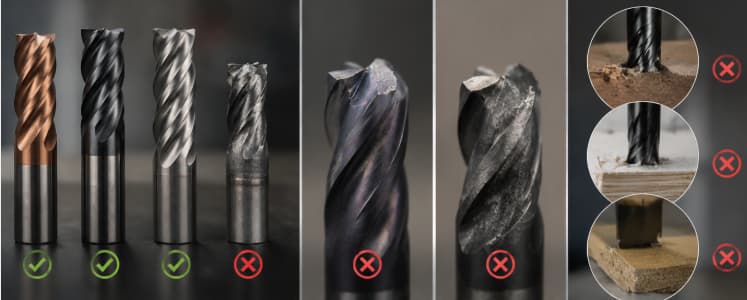
- Inappropriate Tool Replacement: When processing materials with high hardness, tools with soft materials and insufficient rigidity were selected.
- Severe Tool Wear: Prolonged period of high-speed cutting, the tool edge becomes dull and cutting resistance increases, which will result in excessive load on the tool and exceed their own bearing limit.
- Unreasonable Adjustment of Machining Parameters:When the feed is too large, the cutting load of the tool will be increased. When the depth of cut is too large, it may exceed the bearing capacity of the tool. Spindle speed is too low and does not take full advantage of its own characteristics. All of these will result in a large degree of resistance from the material itself against the cutting tool.
- Loose Tool Clamping: In this case, we fix the tool using a clamp at the CNC Router spindle. The clamp will reduce the clamping force on the tool and is prone to fracture after long-term use; if the tool clamps too short and the effective clamping length is insufficient, it will also cause problems such as fracture of the tool.
Solutions
- Select the Right Tool: Use specific tools suitable for the material of the workpiece. In the case of hard materials, high hardness coated cutting tools become more and more used. Inspect these tools before starting up daily, replacing them in a timely manner when they are not functioning properly.
- Set Reasonable Cutting Parameters: According to the tool diameter, material hardness, and processing requirements to adjust spindle speed, feed rate and cutting depth. One-off adjustments of parameters can be done by testing, enabling overload-free cutting loads when processing a new material for the first time.
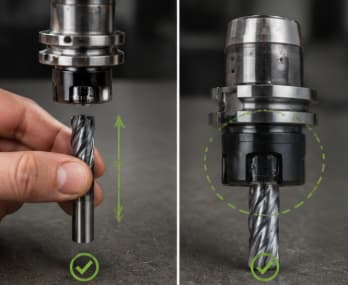
- Proper Installation of the Tool and Inspection of the Clamping Conditions: Clean up the dust and debris in the handle and chuck before installing the tool, check whether the tool installation length is appropriate (the clamping condition can not be loose during machining), measure Check that the clamping force is sufficient.
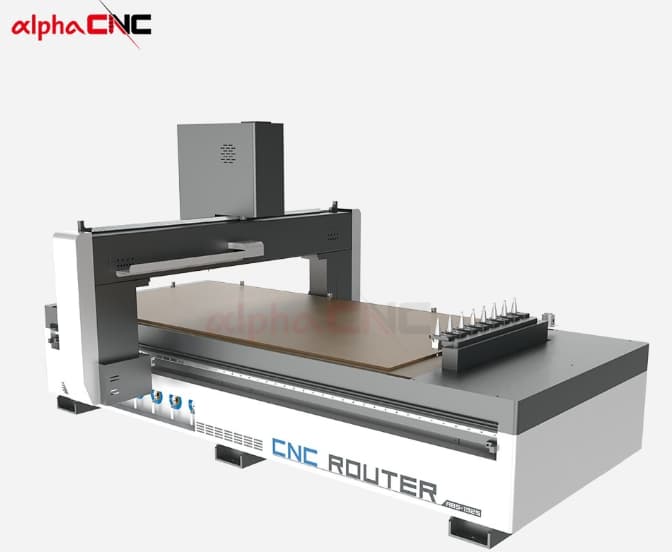
- Use ATC CNC Router: Another effective method is using ATC CNC router. It can automatically select the appropriate tool for each machining process, thereby extending tool life and reducing tool-changing errors.
7. Why Does My CNC Router Show G-code Errors?
G-code errors could also occur in CNC Routers due to, wrong G-code syntax, post processors that are not compatible with the machine controller or programming errors. Most of these issues can typically be resolved by checking the error line, confirming that the G-code format is appropriate for your machine control, and choosing the right post processor.
Common Causes
- Wrong Format: English letters and numbers for G code, like X10 5. If letters or formatting error are wrong in the line of G code, the code will not run. The numbers in the G code must also follow the common form that means,the decimal point is on right place as well, otherwise it may give errors to G codes.
- Instruction Conflict: The instructions in G code are classified by “Modal Group”. In the same mode group, the instructions will be mutually exclusive. G0, G1, G2, and G3 are all part of the motion mode group; on the other hand, G0-G3 are individual motion modes and therefore only one can quantity appeared per row. If the same mode group command (such as G0 G1 X10) has multiple commands in a line at the same time, it will not be recognized by the controller.
- Post Processor and Controller Mismatch:
The CNC Router or CNC Routing machining process usually is:
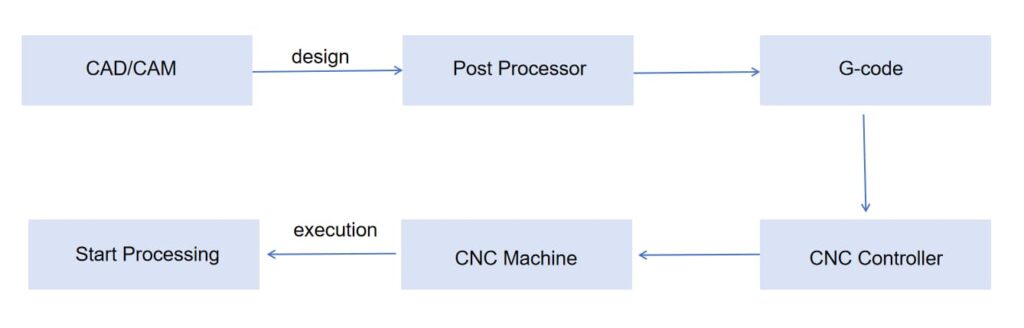
The post processor converts the machining path in CAM software to G-code ready to be recognized by the machine according to various CNC controller format requirements.
The syntax for G-code can be different depending on the brand and model of CNC controller (Mach3, NC Studio, Syntec…). In Generate G code, If a wrong post processor is selected, the output program will not be interpreted correctly by current controller.
Solutions
- Syntax and Format Verification of G code: Check the alarm information displayed by the controller terminal. Generally, the controller will point out where in the line number the error occurred. So Error line 125 means you need to look code near line 125. We have very few spots in this where we need to check for whether code is missing any letters, and if there are decimals present more than once, and if so what do you do with the second decimal point and any special symbols at the start and end of each line. Repeat sending to the controller after deletion or modification.
- Remove Conflicting Orders: Find the error line output by the controller and delete the superfluous or erroneous instructions corresponding to that line number. Delete and modify any code lines listed in parentheses related to repetitive errors; If an unintended position movement command is triggered, you also need to verify whether there is a problem with the post-processing parameters of CAM software.
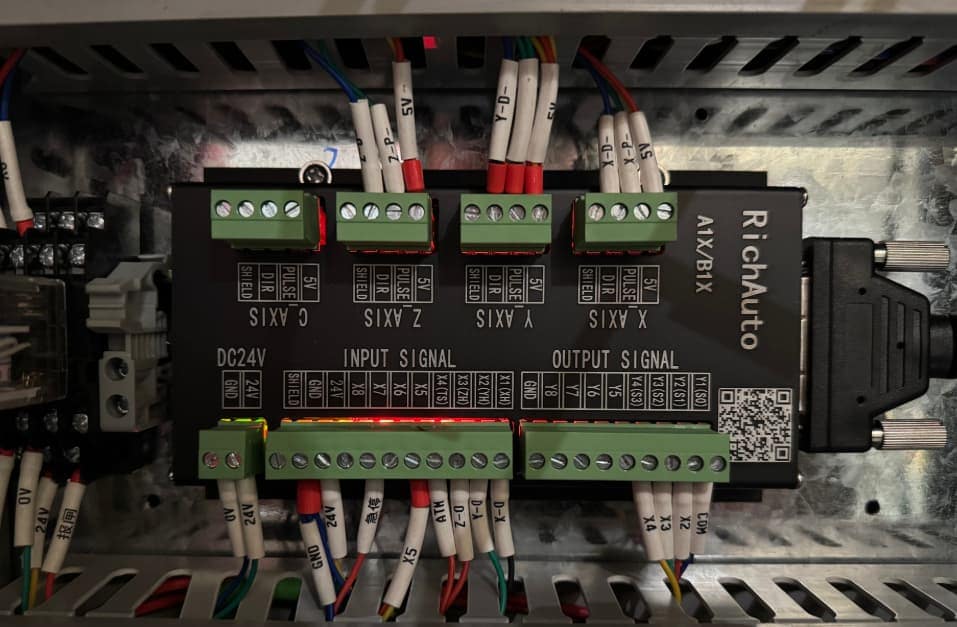
- Select the Correct Post Processor: Initially, you need to check out the controller model of your CNC machine. If the machine equipped with the RichAuto controller, then you must choose a post processor corresponding to RichAuto, not Mach3. Select a corresponding post processor and repeat the G-code file generation. After replacing the processor, it is advised to simulate the regenerated code and verify that it works correctly before continuing with processing.
8. Why Is My CNC Router Losing Position Accuracy?
Position accuracy caused by bad mechanical transmission, stepper motor is lost, servo signal interference or components wear out on a CNC Router. By examining the drive system, motor settings, and mechanical connections, machining precision can be recaptured.
Common Causes
- Loose Mechanical Transmission Elements: The X, Y and Z axes of the machine are so-called rack pinion gears, ball screws or linear guides among other things. When the interface gap between rack and gear is too large, coupling loose or guide rail slider wear serious will become the gantry inaccurate displacement.
- Stepper Motor Step Loss: The machine will lose step when the cutting load exceeds the motor torque.
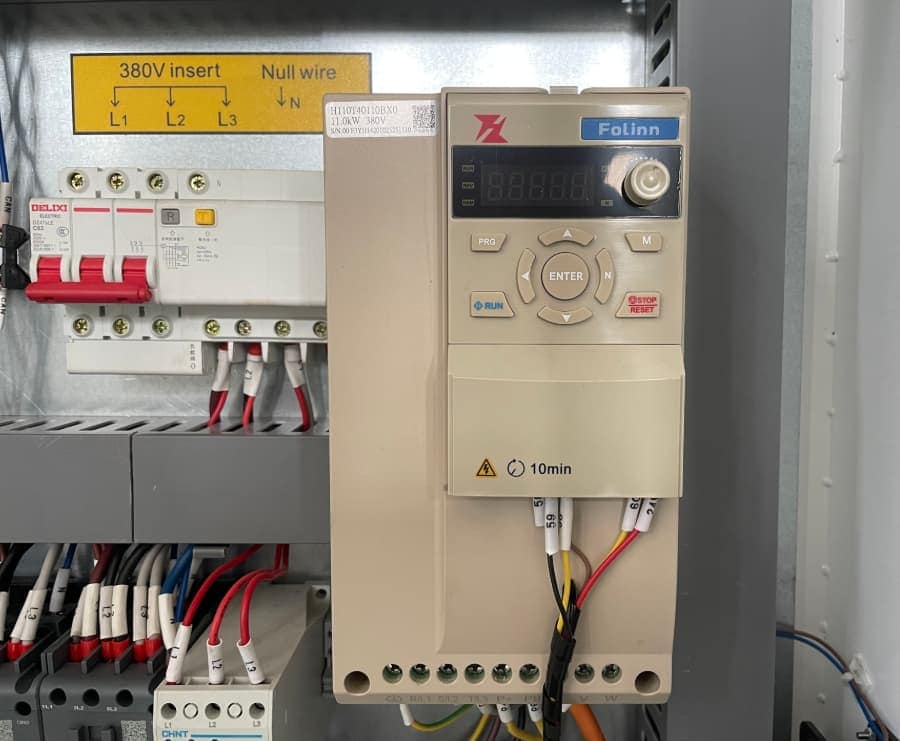
- Pulse Interference of Servo Motor: Because the servo motor frequency inverter and air compressor have a certain degree of electromagnetic interference with each other, and also the power supply voltage jitter of the driver is very large, which will cause the machine to deviate.
Solutions
- Inspect and Tighten Mechanical Connections: Adjust gear preload and replace worn parts, and re-tighten the connections.
- To Check Stepper Motor Driving Status and Motion Parameters Optimization: Adjust the driving current, reduce machining load, optimize acceleration parameters; check mechanical resistance etc., so that the motor can adjust control state to execute accurate control instructions.
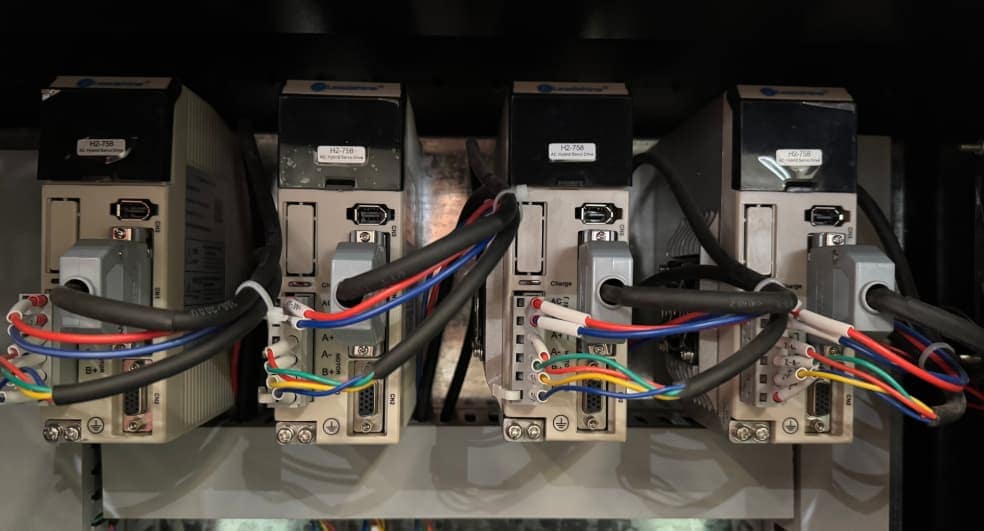
- Stable Servo Motor Signal Transmission: Solves the problem of servo motor pulse interference, including optimizing circuit layout, increasing anti-interference design, stabilizing power supply and improving control signal transmission accuracy.
9. Why Does My CNC Router Produce Poor Machining Quality?
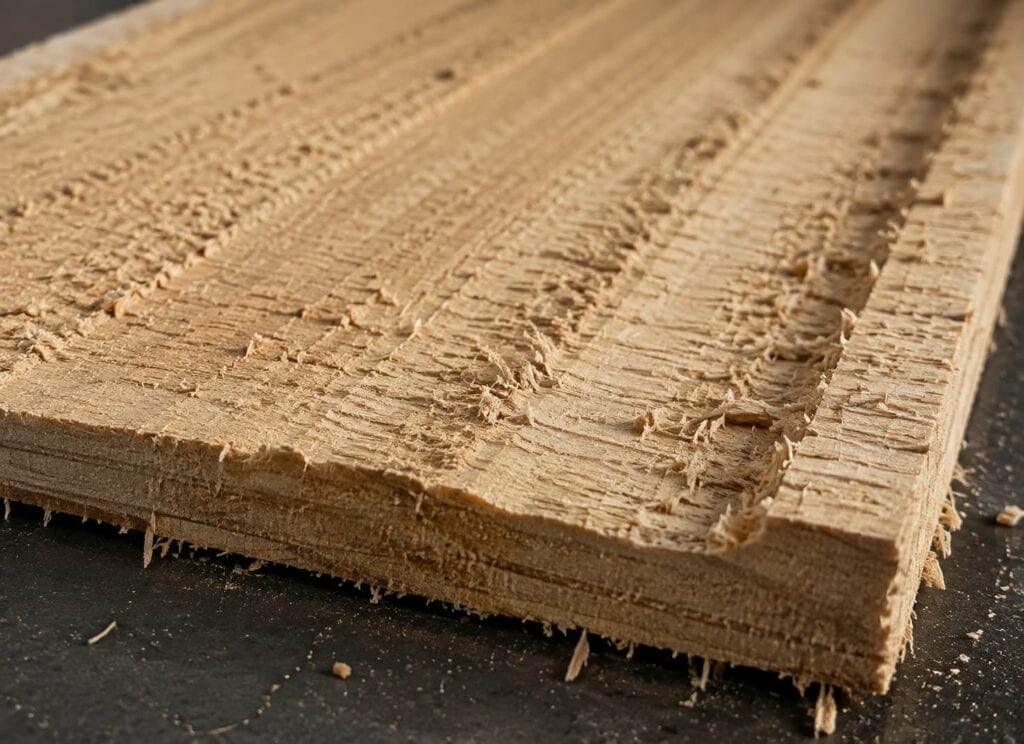
The reason for poor CNC router machining quality is mostly due to four factors: worn tools, spindle problems, inappropriate molding parameters or poor installation of the cutter and unstable workpiece conditions. This subsequently leads to uneven surfaces, non-uniform cutting depth, burrs, and dimensional errors.
Common Causes
- Tool Wear: With the tool used for a long time, it will consume its edge and reduce cutting force, and burrs appear on the surface of the work piece.
- Abnormal Operation of CNC Router Spindle: Spindle bearings wear out and/or coolant system works incorrectly making both the tool spin in an unstable way generating vibration patterns or grooves on part machined surface. Impairment of the workpiece: If there is distortion, dust accumulation or unevenness in the machining table of a CNC machine, it will change the actual distance between the tool and material, so that it cannot achieve accurate machining depth.
- Improper Tool Clamping: If the tool is not installed and fixed properly, there will be deviation when it rotates at high speed, which affects machining accuracy.
- Temperature Changes: If the machining process for some metal parts is in a temperature range where that seasonally changes, then uneven thermal expansion and contraction of the workpiece can also lead to a loss of finished dimensional accuracy.
Solutions
- Replace Worn Tools: Change the used tools depending on of processing material and inspect blade condition frequently. Replace the tool promptly if it is found to be worn or broken.
- Regularly Check the Spindle: Check whether comments, cooling system, and spindle runout are available, found abnormal quickly repair. The spindle for long-term high load processing should check the inspection every half year to ensure that the slack of the spindle.
- Check and Adjust the Level of the Workbench: Periodically clean the processing platform, check the flatness of the workbench and adjust to an appropriate level.
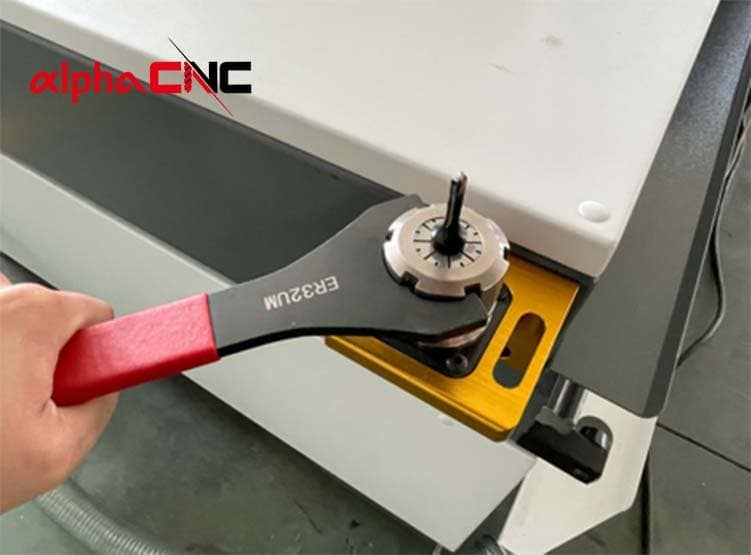
- Check Whether Tool is Installed: Clean the handle and clamp to confirm that the tool has been securely installed.
- Preheat Diligently: Allow the machine to run idle a few minutes before starting each day to get it preheated before cutting. Allow fairly consistent temperature to exist in the working environment of your workshop.
10. Why Is My CNC Router Dust Collection System Not Working Properly?
Normally there will be a loss of performance from your CNC router dust collection system solutions because of filters getting blocked, vacuum pipes getting blocked with dust accumulation, fan problems etc. Regularly clean filters, and vacuum components to maintain the dust removal performance.
Common Causes
- Clogged Filter or Dust Bag: After long-term processing of wood chips and dust, it will still continue to block the micropores of the filter. They need to be cleaned in time, otherwise the permeability of the filter will drop significantly and there will not even be enough suction. Also, if the dust collection bag does not clean for a long time, more and more dust will accumulate in the bag, which hinders air circulation, reduces suction air volume and leads to unsatisfactory suction.
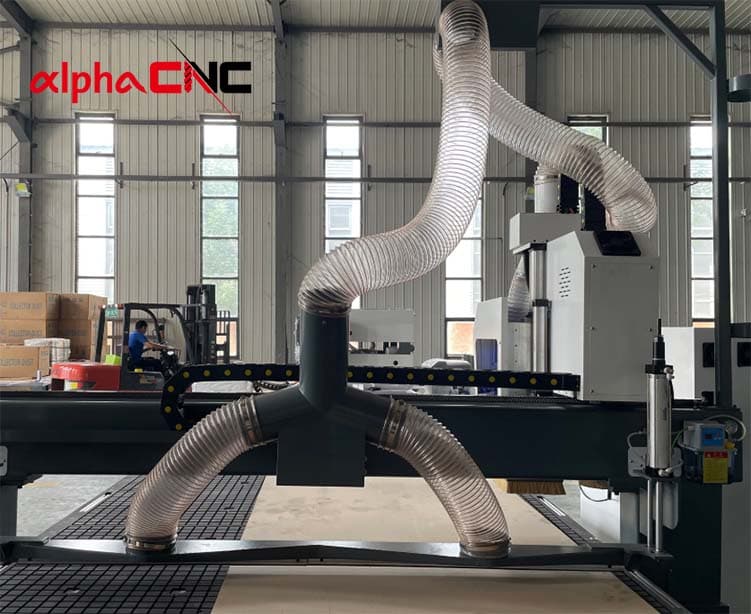
- Vacuum Suction Duct Obstruction: If too much wood chips, debris or large processing waste are accumulated, especially in curved positions of the vacuum suction duct, it will cause air blockage and reduce overall vacuum suction power.
- Failure of the Vacuum Fan: The fan motor runs at high load for a long time, resulting in bearing wear, speed reduction and motor power attenuation. There are large amounts of dust and sawdust on the impeller of the fan, causing insufficient air pressure and increased operating noise, which unable to provide rated negative pressure and airflow for the vacuum system.
Solutions
- Frequent Cleaning or Replacement of Filtering Devices: Check the status of filters and dust collection bags according to the frequency of use, clean up accumulated dust in time. The filtering device should be replaced in time when aging or severely blocked to avoid obstruction of air circulation.
- Cleaning of Vacuum Suction Pipeline: The vacuum suction pipeline is prone to blockages; therefore, it is necessary to regularly check whether there are obstructions inside the pipe body, remove wood chips and other debris that have landed in the pipe body, and pay attention to cleaning at bends and interfaces where waste materials are easy to accumulate.
- Regular Maintenance of Fans: Regularly check the operation conditions of fan impellers, motors and abnormal noise, clean up internal dust deposition and regularly repair or replace components with reduced performance if overhauled or broken.
FAQ
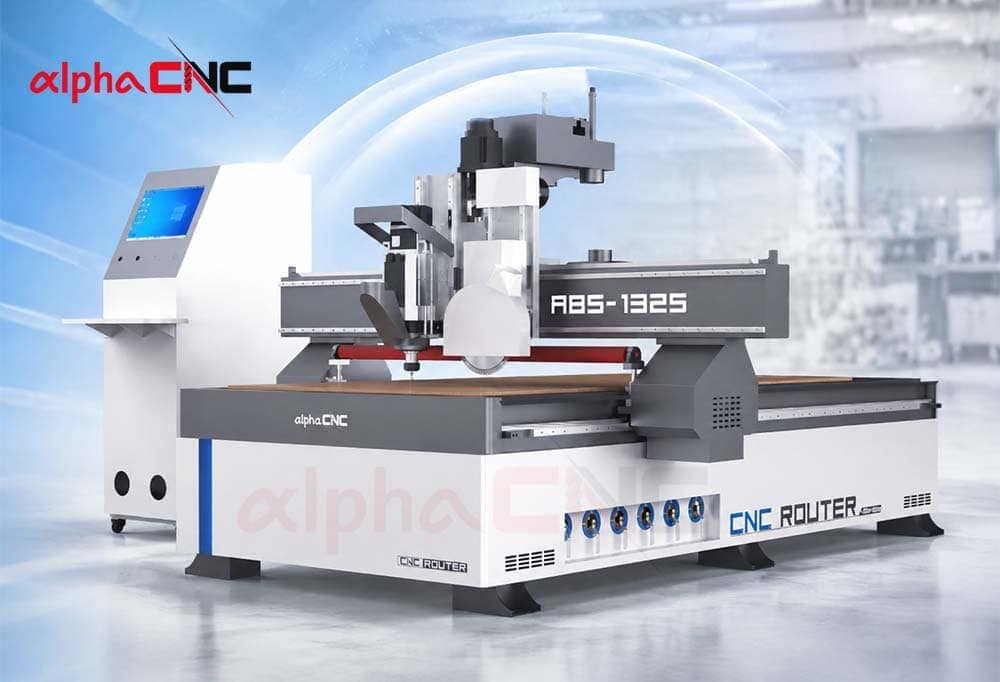
How Often should CNC Router Parts be Replaced?
- Cutting Tools: The most used ones should be replaced when they are extremely worn or chipping.
- Collet: Under high frequency use, we recommend replacing every 3-6 months as the deformation or wear of the collet can affect clamping force and concentricity of the tool.
- Spindle Bearings: There is no unified replacement cycle for spindle bearings. Please check for any abnormal noise, vibration, temperature rise, or excessive jumping, and follow the maintenance recommendations of the spindle manufacturer.
- Others: Filter element, vacuum pump or dust removal system lubricating grease and lubricating oil need to clean and replace – will be added every two months with lubricating grease. When there is unstable signal or air leakage, limit switches, sensors and various seals and gaskets shall be replaced in a timely manner.
Keep in mind the more frequent replacements; it is better to buy them along with the machine and replace regularly which can minimize unforeseen downtimes.
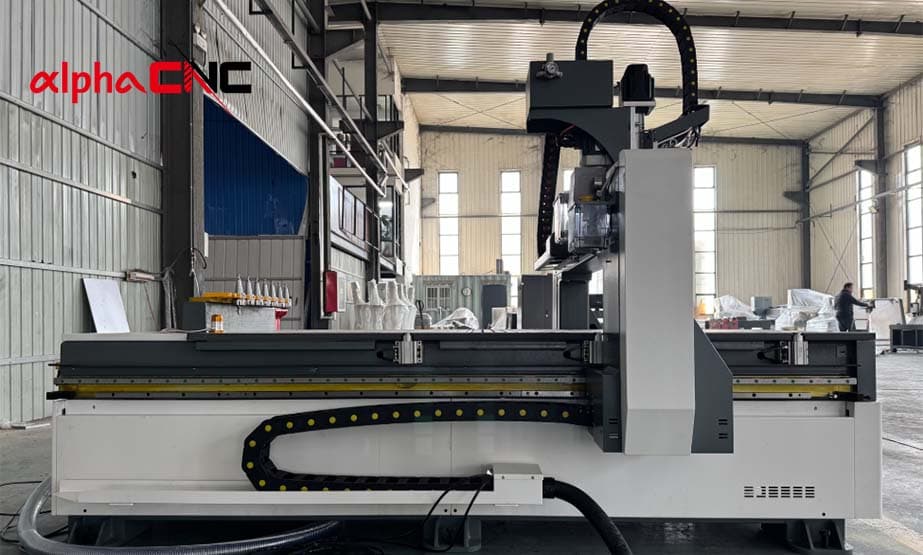
Why does my CNC Router Make Abnormal Noise?
By our experience of over-inquiry service, most of time, the abnormal noise in CNC router show that certain components are changed after working a long time. Some common causes are: looseness of mechanical parts, spindle problems, cutter wear, lubrication insufficiency or incorrect machining parameters.
During inspection, you should pay attention to the screws joints and the status of the spindle during operation, tool installation, as well as lubrication of guide rail. The workpiece clamping mode should be inspected if the abnormal noise occurs only during machining, and at the same time, the cutting parameters should also be confirmed. Quickly identifying and acting on these sounds will reduce damage to other key components, including the spindle and drive system, as well as help avoid additional unplanned downtime.
What Should I do when An Alarm Code Appears on CNC Router?
Alarm code is a prompt issued by the machine after encountering an abnormality. It can be related to limit switches, power supply, program errors and other issues. In this case, you need to log the alarm number, information about prompt, and which state is processed with it after an alarm occurs in order to successfully ascertain whether it happened. Next, refer to the meanings corresponding to the equipment manual one by one, so as to find common fault points. When the problem can not be solved, contact with CNC router manufacturer technical support.
How to Determine whether the Fault of CNC Router Comes from Mechanical or Electrical Part?
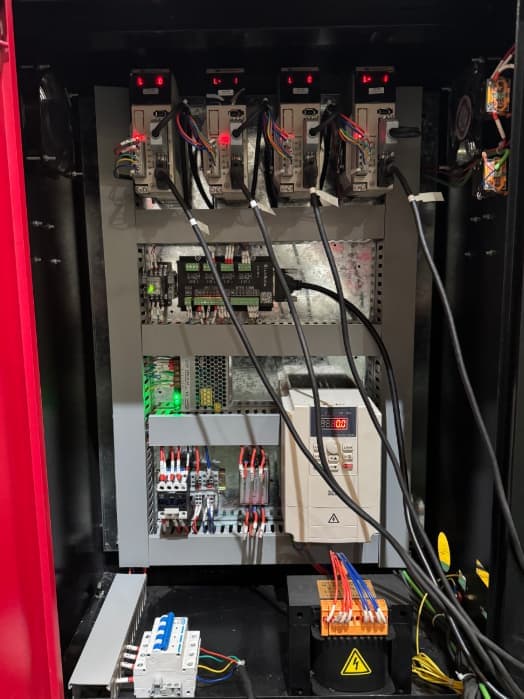
Usually, if when manually moving the axis with power failure occurs jamming phenomenon, abnormal noise phenomenon, excessive resistance phenomenon and loose components running off the fault is a mechanical failure. Manual operation is normal after power failure, but the startup alarm speed is unstable and so on, which is more likely to be electrical control system failure.
In simple terms, if there is an abnormality after power failure, it means that the general fault is mechanical; and if there is an abnormality during power on operation, it means that the general fault is electrical.
What are the Early Signs of CNC Router Malfunction?
For CNC router, if the product quality starts to deteriorate in a batch of products (such as size inconsistency, uneven cutting edge burrs, depth of carving not consistent within the same batch of products), then it indicates that something is wrong with the machine.
Normal Working CNC router will make a stable motor sound and cutting sound in the majority of cases. Typically, it means that the internal parts are not in good condition if the machine sounds strange.
Generally, if the startup speed of the machine is getting slower and one or two of the following conditions occurs: control software stall, unstable spindle speed and abnormal indicator light, it is most likely a problem with the electrical system of the machine.
How to Prevent CNC Router from Malfunctioning?
Regular CNC router maintenance is the best form of prevention against machine malfunction. This involves creating checklists for inspections on a daily, weekly, monthly, or quarterly basis.
Keep the processing area clean every day; check the status of tools and that machines are operating normally; Lubricate moving parts and check to ensure vacuum systems operate correctly weekly; Monthly spindle maintenance, electrical system testing, CNC router accuracy calibration; Quarterly replace consumables and inspect CNC machine comprehensively.
When Should You Repair a CNC Router or Replace It?
While troubleshooting can help you fix many CNC router problems, when failures occur over and over again it means that the machine has simply run its course.
- Machine downtime hinders production schedules
- Spare parts are hard to source
- The controller system is outdated
- After maintenance, the accuracy does not meet production Needs
- Spare part prices close to the worth of a new machine
A qualified CNC router manufacturer should offer not only the equipment but also tech support, spare parts availability and long-term machine service.

Final Thoughts
Choosing a CNC router manufacturer with reliable machine configuration and professional technical support can reduce the likelihood of malfunctions from the source. Alpha CNC, with decades of industry history, offers high stability and high availability CNC solutions that cater to various needs in machining.
If you need to select the gear that have a CNC router with competitive prices but stable machining, or if replace your aged tools, contact us, Alpha CNC will handle it timely.


