
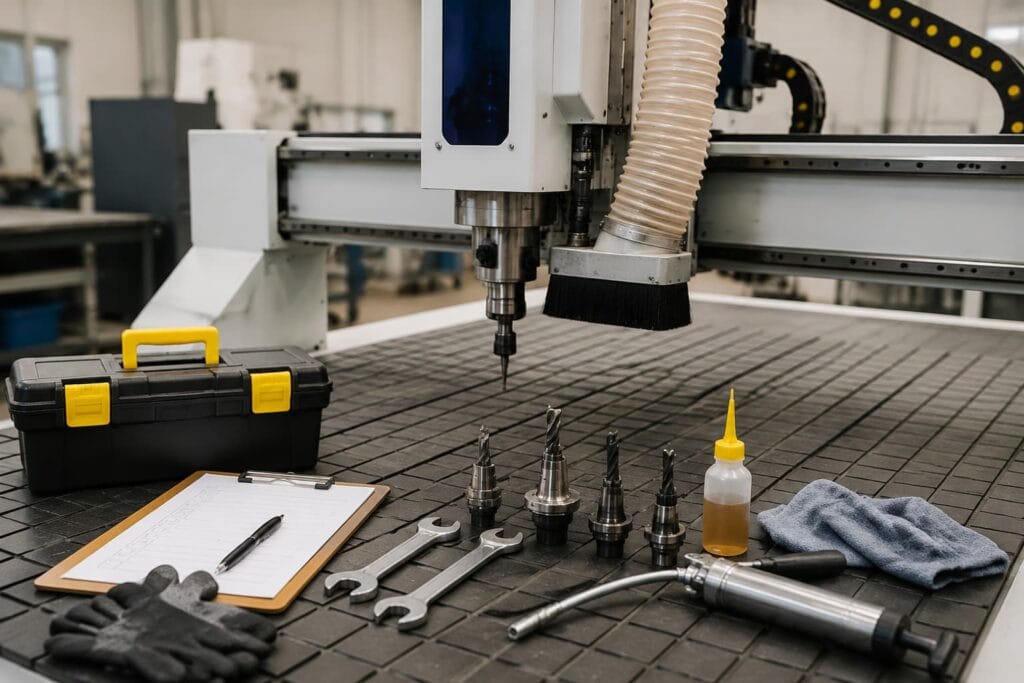
A CNC Router is always working inside a tolerable and various controlled areas. Maintaining these machines means controlling the degradation of accuracy and failing early.
In this article, we have organized major chores into four timeframes: daily, weekly, monthly and quarterly. This will allow you to systematically understand what goes into CNC Router maintenance and in turn minimize the chances of machine breakdowns.
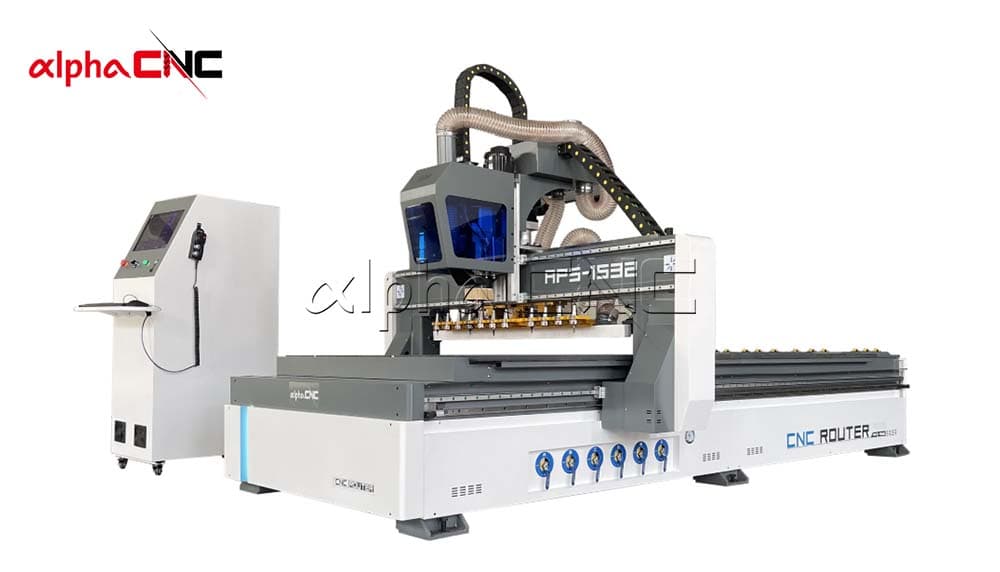
1. CNC Router Maintenance Checklist
The checklist table will help you to better understand about routine CNC Router maintenance.
| Period | Items | Description |
| Daily | Clean the processing area | Dust and debris |
| Check the tool condition | Wear level of the tool | |
| Check the machine’s operating status | Noises, vibrations, and abnormal temperatures | |
| Weekly | Lubricate moving parts | Guide rails, lead screws, gears, and racks |
| Check dust collection system | Dust extraction duct and filters | |
| Monthly | Spindle maintenance | Spindle temperature, noise, cooling system |
| Electrical system check | Cables, connectors, control cabinets | |
| CNC Router accuracy calibration | Axial accuracy, repeat positioning accuracy | |
| Quarterly | Replace worn parts | Change tools, bearings, belts |
| Check CNC Router | CNC Router structure, electrical system, and control system |
2. Daily Maintenance of CNC Router
You just need to spend 15 minutes every day to clean the CNC Router, check the tools, and check the operating status.
2.1 Clean the Processing Area
After finishing processing each day, you need to first use a brush to clean the workbench, T-slots, and the guideway slides of any machining debris. If it’s a vacuum adsorption worktable, you should check whether it’s clogged with dust. This helps ensure the stability of the table’s suction. The spindle and tool magazine area should also be kept clean.
2.2 Check Tool Condition
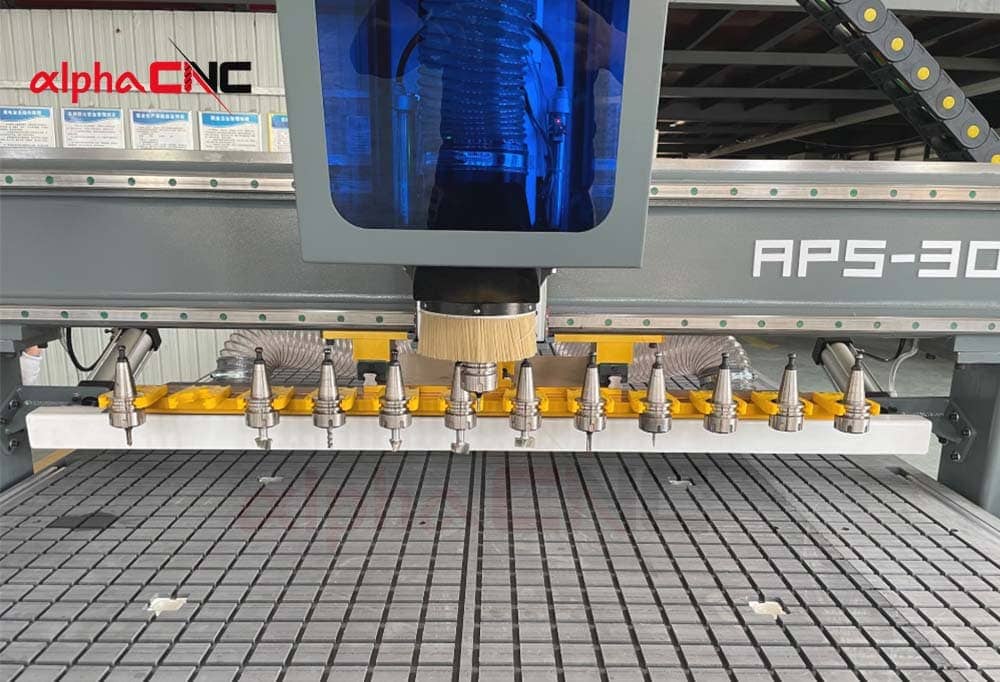
The condition of the cutting tool directly affects the cutting performance, machining accuracy, and spindle load. You should check if there’s any dust between the tool holder and the collet.
Meanwhile, you need to check if the tool is worn, if it’s securely installed in the collet, and if the cutting edge has any chips.
2.3 Check Operating Status
If you can hear any noises, you should turn off the CNC router immediately and carefully check your machine.
Unusual noises:
When abnormal noise is found during CNC machining, first check whether the spindle speed is normal, then make the spindle and X/Y/Z motion shafts operate separately, and find out the specific parts that generate noise through the elimination method. For example, abnormal sounds for the spindle are normally caused by some bearing issues, while motion axes may result from a dry lead screw or slide block.
Vibration:
In case of vibration or unstable operation of CNC Router, first check whether the guide rail and lead screw are polluted by dust, wood chips, and so on. Meanwhile, check whether the lubrication system supplies oil normally to ensure that the moving parts can operate smoothly.
3. CNC Router Weekly Maintenance
Weekly maintenance focuses on further maintenance and inspection of key parts of CNC Router to find out and avoid possible faults in advance. It’s a deeper level of care based on daily maintenance.
3.1 Lubricate Moving Components
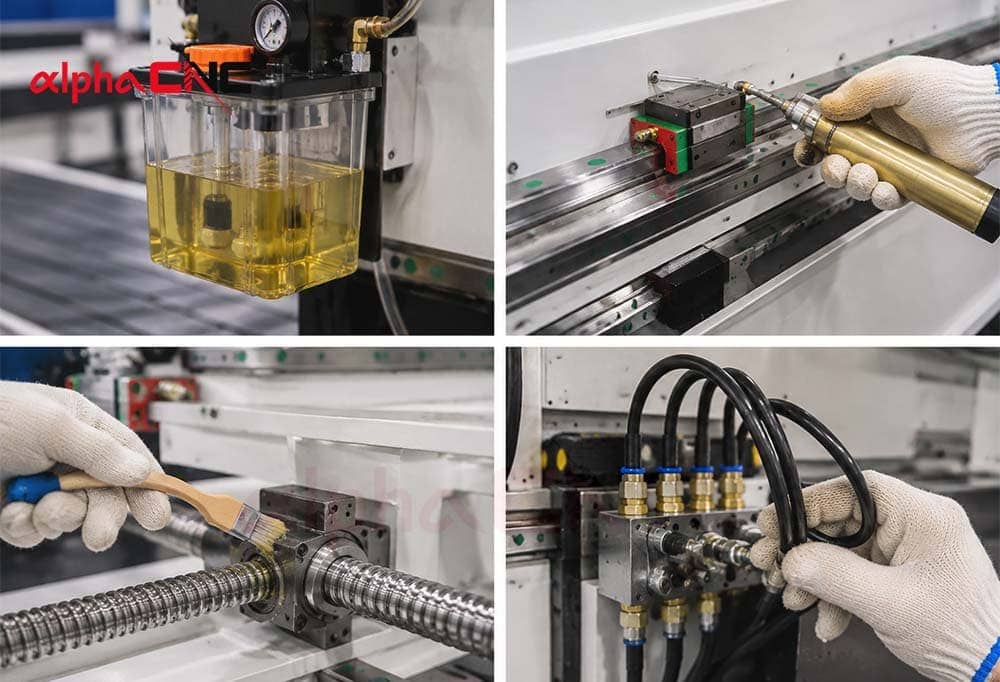
The moving parts of a CNC router need to be kept well-lubricated. In detail, guide rails, lead screws, and rack-and-pinion systems are both need to be lubricated regularly.
Check the oil level:
You should prepare enough lubricant in the lubrication reservoir.
Verify normal oil flow:
You should turn on the lubrication pump and check if any lubricating oil is leaking out.
Check for blockages in the oil lines:
If you don’t clean the remaining grease on the line in time, this grease will prevent oil from flowing to certain lines. You should cultivate a good habit of cleaning grease and replacing some defective parts on time.
3.2 Dust Collection System Maintenance
The quality of the vacuum cleaning system will affect whether the processing area is clean, how long the cutting tools can be used, and whether the operating environment is comfortable and safe. So, it is very important to check the dust collection system carefully.
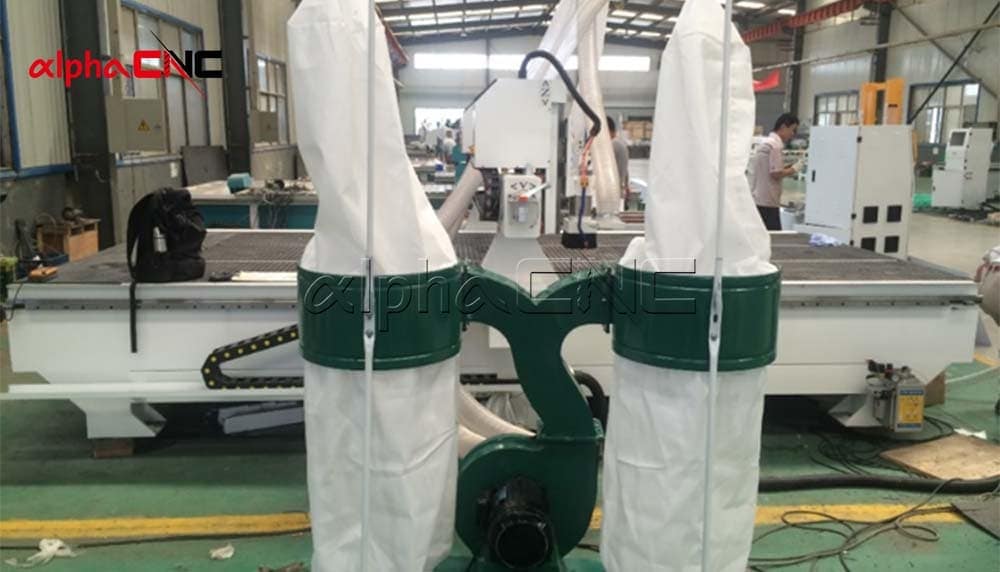
Dust hood:
You should check the dust hood and the inner wall. If there is dust inside, you need to clean it in time.
Filter:
If you do not clean the filter for a long time, there will be dust inside. You need to remove the filtering device and gently blow to clean the dust. In this process, if you find the filter paper has some damage, remember to replace it in time.
Air Pressure:
The air pressure of dust collection is a very important point that you need to check. You can put your hand into the suction inlet. You may feel suction. If you feel the suction is not strong enough, you should check if there is any leakage in the pipes immediately.
4. CNC Router Monthly Maintenance
During the CNC Router monthly maintenance, you should pay more attention to spindle operation status, electrical system conditions, and CNC router’s accuracy.
4.1 CNC Router Spindle Maintenance
Spindle is the core component of CNC Router, which determines the machining effect, precision and efficiency of the machine. Therefore, the main shaft shall be inspected and maintained every month to ensure stable operation of the equipment. So, it is very crucial to check the spindle monthly.
Spindle Warm-up:
Let the machine idle for a few minutes to warm up, and then gradually increase the speed to make each component reach a stable working state. You should warm up your CNC Router when you start your machine to avoid bearing damage from high temperatures.
Spindle Temperature:
When your CNC Router has been operating for about 30 minutes, you can put your hand close to the spindle housing to check the temperature. The normal temperature is about 40–60°C. If you find the temperature of your machine is higher than the normal level, you should pay more attention to the cooling system.
Cooling System:
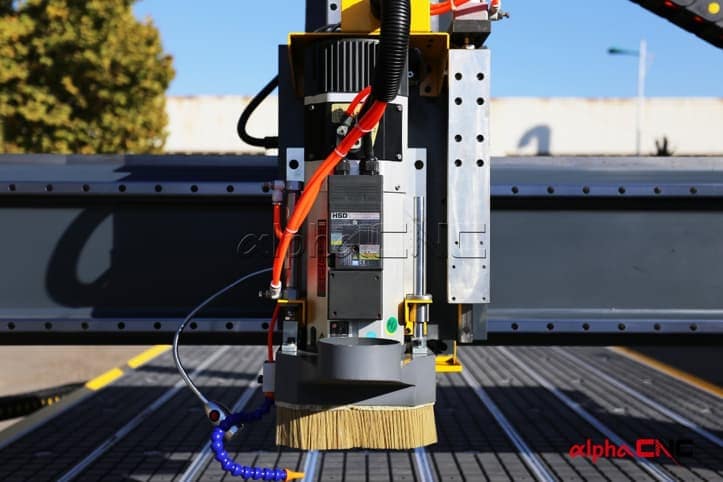
The water cooling spindle main shaft mainly checks the water circulation system to ensure that the coolant is normal, the water pipe is unblocked and there is no water leakage; Air-cooled spindle main shaft mainly checks the cooling system to ensure that the fan, air vent and cooling fin are not blocked by dust.
Spindle Vibration:
When abnormal vibration occurs during machining by the CNC Router, or periodic ripples appear on the machined surface, it may be caused by wear of the main shaft bearing or rotating imbalance. The vibration meter can be used for detection. If the vibration exceeds the standard, further inspection is required. If there is no professional instrument, simply judge whether the vibration is serious by putting coins on the main shaft housing.
Tool Clamping System:
Before installing the tool, check whether the tool shank, chuck and relevant parts are clean and intact to avoid unstable tool installation due to dust, rust or damage.
4.2 Maintenance of the Electrical System
The electrical system of the CNC Router controls the operation of the entire machine.
Maintenance of the electrical system. Regular inspection and cleaning can help prevent accidental shutdown and electrical failure.
Electrical Control Cabinet:
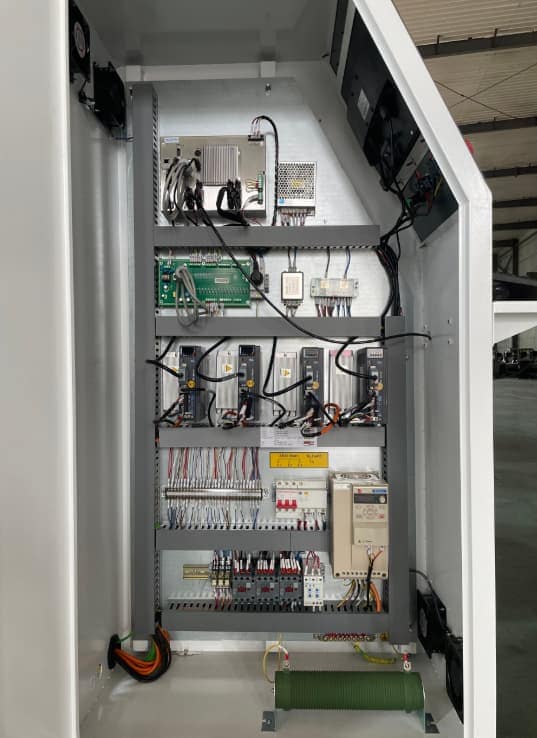
During the CNC processing, there are always a lot of dust, wood chips, stone powder and other impurities. After entering the electric control cabinet, these things will accumulate in the heat dissipation area of the frequency converter, servo driver and power module, affecting the heat dissipation of the equipment. The electronic components are exposed to high temperature for a long time, which will accelerate the aging and even cause failure. Therefore, a vacuum cleaner or dry cloth shall be used to clean the interior of the electric control cabinet to maintain a good heat dissipation environment.
Terminal Blocks:
The vibration will be generated during the operation of CNC, and long-term vibration may cause the wire connector to loosen. In addition, moisture or long-time use may also lead to oxidation, heating and even burning of wiring terminal. Therefore, it is necessary to check the main power interface, the connection end of the servo driver and the connection end of the spindle frequency converter for looseness, blackening, burn marks and other problems, and ensure that all lines are firmly connected.
Cooling Fans:
You also need to check the cooling fans in the electrical cabinet and in the drive. Because electronic equipment such as frequency converter and servo driver will generate a lot of heat during operation, it needs to rely on the fan for heat dissipation. If the fan speed is reduced, the noise is abnormal or the fan stops working, the equipment will be overheated, the alarm will be triggered and even the electronic components will be damaged. Therefore, if the fan is abnormal, it needs to be replaced in time.
Check Grounding and Shielding:
The frequency inverter in the CNC will generate electromagnetic interference during operation. If the grounding is not good or the cable shield is not in place, the control signal may be affected, resulting in position deviation, processing accuracy reduction or false alarm of the machine.
Cables:
When the CNC Router is working, the X, Y and Z axes will move continuously, and the cable will bend repeatedly with the drag chain. If bent for a long time, the cable sheath may be worn and the internal conductor may be broken, resulting in some faults that are not easy to judge, such as occasional alarm, sudden failure of a certain shaft, etc. Therefore, it is necessary to focus on checking the position where the cable often bends and rubs, and find out the damage in time and replace it.
4.3 CNC Router Accuracy Calibration
CNC Router also needs monthly precision calibration, mainly including the following two inspections
Repeatability:
During long-term use of CNC Router, it is necessary to regularly check the repeated positioning accuracy of the machine, i.e. test whether the machine can maintain consistent accuracy when moving to the same position.
During inspection, precise measuring tools such as dial indicator can be fixed on the main shaft to make the measuring head contact the standard measuring point on the workbench. Then move the spindle to a fixed position and record the measurement results. Then move the main shaft away, return to the original position and record the data again. Repeat the measurement several times and calculate the average error for each return position.
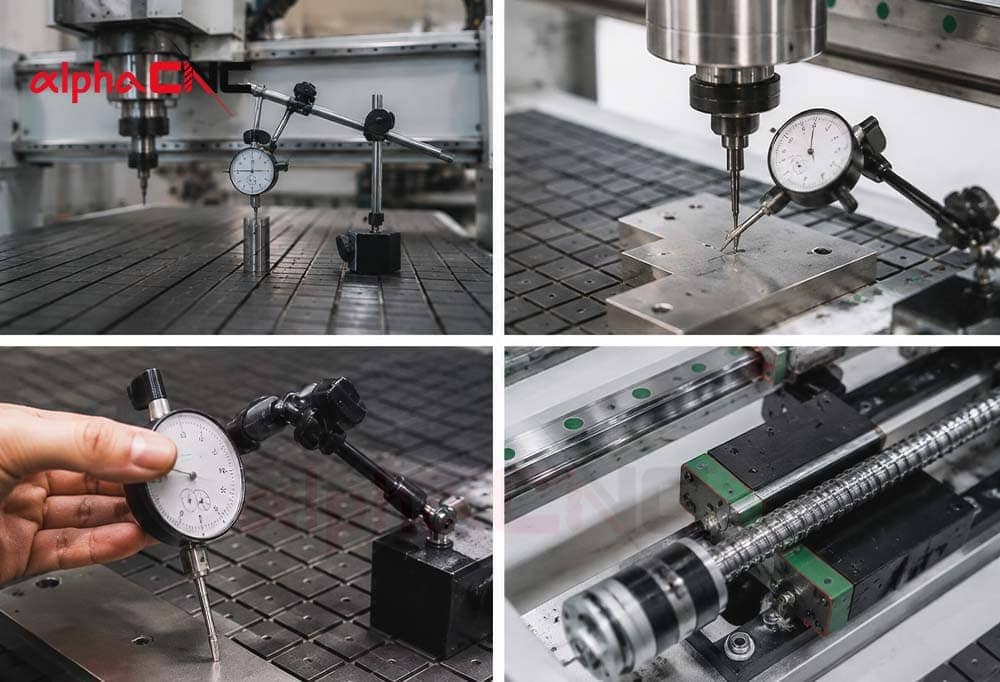
For a newly purchased CNC Router, the repeat positioning error should normally be controlled within ± 0.005mm. With long-term use of equipment, mechanical parts will be worn to some extent. For equipment used for more than three years, if the repeated positioning error is kept within ± 0.02mm, it usually belongs to the normal range.
If the error exceeds ± 0.03mm, further check of the mechanical structure of the machine is required, such as wear of the lead screw and looseness of the coupling. Timely calibration and maintenance can avoid machining dimension deviation and ensure that CNC Router maintains stable machining accuracy for a long time.
X-Y Axis Perpendicularity:
Check the vertical accuracy of axis Z of CNC Router with square ruler and dial indicator. Move the main shaft up and down for 500mm and observe whether there is deviation. If the deviation exceeds 0.03mm, it indicates that the perpendicularity of the main shaft is faulty, and the mechanical structure shall be adjusted or the system compensation parameters shall be modified.
5. CNC Router Quarterly Maintenance
Quarterly maintenance focuses on parts that are subject to wear or deterioration after prolonged operation. Through comprehensive inspection of machinery and timely replacement of wearing parts, the risk of equipment failure can be reduced and long-term stable operation of CNC Router can be ensured.
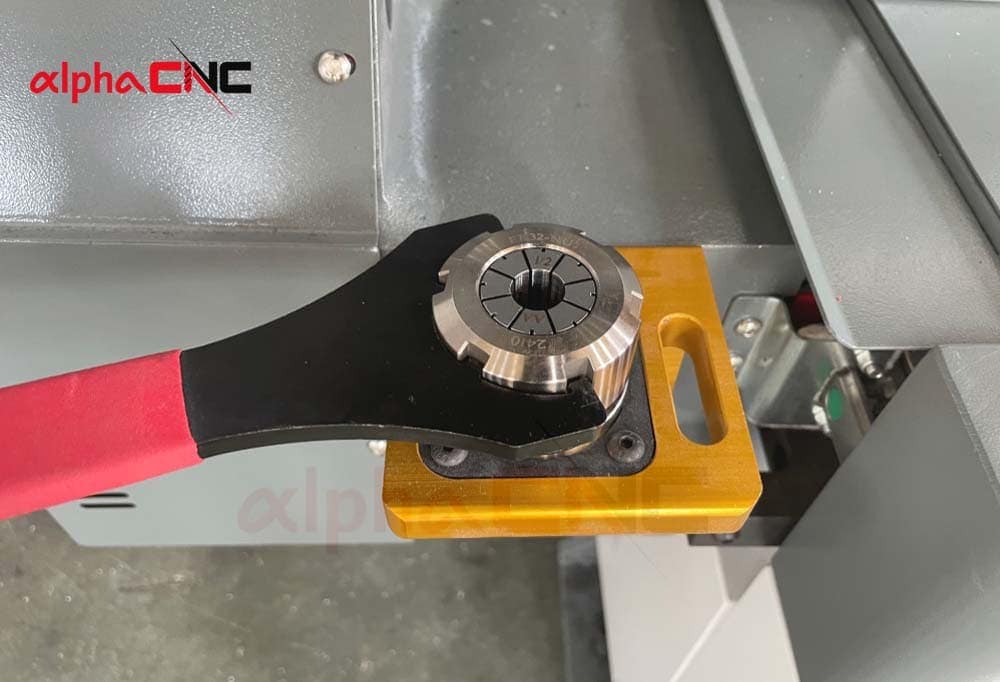
5.1 Replace Worn Components
Timely inspect and replace worn parts during quarterly maintenance to prevent more severe problems such as damaged guide rails, lubrication problems, or limit switch failure.
Dust-Proof Sealing Components:
Check various dust seals on the CNC Router, including guide rail scraper, lead screw seal and electric control cabinet gasket. In case of deformation, aging, cracking or untight sealing, it shall be replaced in a timely manner. Before replacement, the dust at the installation position shall be cleaned to ensure that the new seals are installed tightly, so as to prevent the dust from entering the guide rail slider, lead screw and outer electrical system, and avoid affecting the accuracy and stable operation of the equipment.
Electrical Contact Components:
Replace with a carbon brush of the same model as that manufactured by its original manufacturer when the available length of the carbon brush has fallen below one-third of its initial length. In the same way, observe the contact and buffer pad of the travel limit switches; when both contacts are oxidized, or buffer pads have been aged or broken, that caused equipment collisions due to a limit switch, then replace them together.
Piping and Consumables:
Replace the main filter cotton of the dust collection system and the intake filter cartridge of the vacuum system. Thoroughly check each neighboring bit of each air and grease oil line for maturing; replace totally any areas in the event that they come out hardened, chipped, or with unfluid walls to avail of sealed-off air and oil lines to bolster relentless stream.
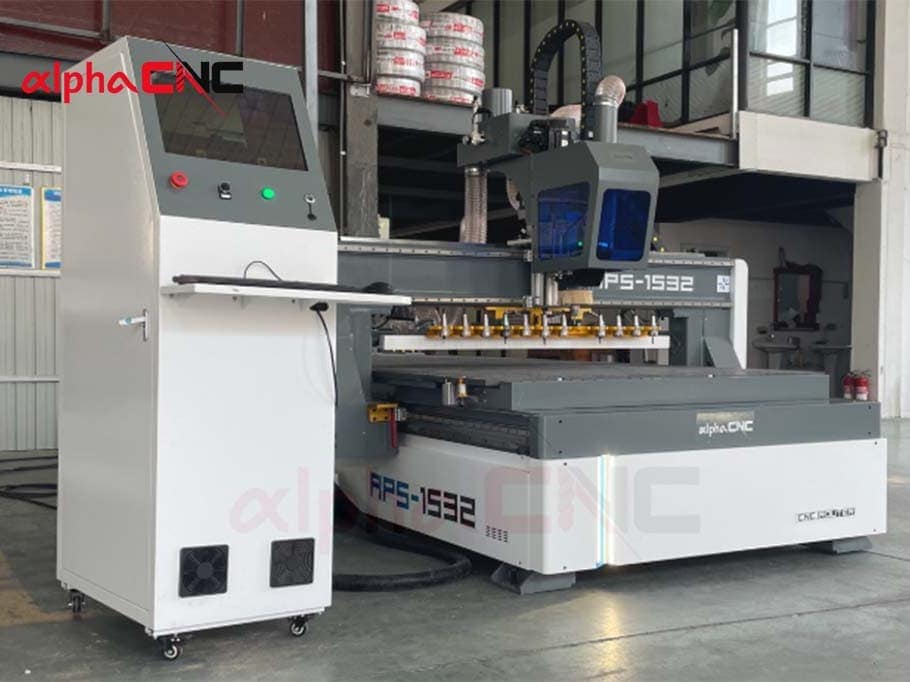
5.2 Thoroughly Inspect CNC Router
Quarterly maintenance also requires a thorough check of the overall performance of the CNC Router to ensure synchronous operation of the mechanical structure, electrical system and control system.
Mechanical Structure:
During long-term operation, a CNC router is constantly subjected to vibration. If the base, support structure or mounting bolts are loosened, the stability of the equipment may be affected. Therefore, check the key connection parts and re-tighten the necessary parts with tools.
Machine Level:
You will need to use a precision level to measure in the X and Y directions of the table. If the levelness exceeds 0.02mm/m, the anchor bolt height shall be readjusted.
Motion System:
Start the CNC Router and check whether the axis run smoothly and whether there is abnormal noise, vibration or positioning error. If it is found that the machining dimension is gradually offset, check the mechanical clearance, lubrication and wear of moving parts.
Spindle System:
In addition to checking the spindle temperature, noise and vibration, make sure the spindle cooling system is working properly. For water-cooled main shaft, check the water flow circulation; For air-cooled spindles check the cooling effect.
Electrical and Control System:
You should focus on whether there is a historical alarm record in the CNC control system, which helps to determine whether the equipment has potential problems.
6. Some Questions You Want To Know
How long can a CNC router be used?
A basic CNC router’s lifespan is about 10-20 years. It is up to the machine types, spindle brands, and the frequency of maintenance. For example, a standard industrial-grade CNC Router can work about 10-15 years; a heavy-duty CNC Router can work about 20 years. Spindles like water-cooled or air-cooled can use about 3,000-10,000 hours.
How much does it cost to maintain a CNC router?
CNC machine maintenance costs are about 2%-5% of the total CNC Router. For example, if an ordinary CNC Router’s price is 15,000 dollars, then you will probably need to spend between 300 and 750 dollars to maintain your machine; if added the costs of manual and machine deep maintenance, you will cost 800 to 1,500 dollars per year.
What is the difference between self-maintenance and manufacturer maintenance?
Self maintenance only can solve simple problems, and it is hard to know the true reason to solve difficult problems. In this case, some simple CNC Router maintenance problems such as cleaning the machine, adding some lubricating grease, and replacing the filter paper are suitable for self-maintenance; some complex problems such as router precision calibration, spindle performance testing, and electrical system maintenance are fit for a professional manufacturer.
Are there differences in maintenance methods when processing different materials?
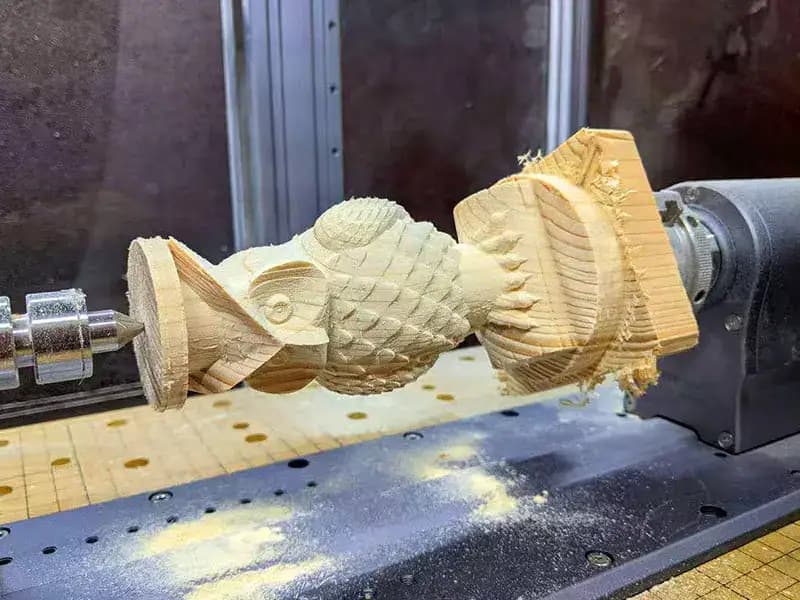
When processing wood and composites, there’s a lot of dust, so it’s important to pay attention to how often you clean the dust collection system and protect the guide rails.
When processing metals like aluminum alloy, the chips are hard particles, which wear down the guide rails and lead screws more severely, so you need to shorten the lubrication intervals and check the surfaces of the guide rails more often.
What should you do when restarting a CNC router after a long downtime?
Remember, do not resume production immediately! You should follow some steps:
Clean your CNC machine, check the levels and condition of the lubricating oil and coolant, and ensure that all wiring and air hoses are safe;
Make the x, y, and z axes run back and forth slowly three to five times. Then check the lubrication condition of the machine. Make the x, y, and z axes run back and forth slowly three to five times to ensure that the guide rails have been adequately lubricated.
You need to gradually increase the spindle’s rotational speed to check if there is any noise and if the body temperature is normal during the machine’s operation.
Perform a simple test cut first. After confirming that the machining dimensions and accuracy are normal, resume normal production.

Final Thoughts
Alpha CNC has extensive manufacturing and service experience. Our CNC Router adopts a solid frame, and it is easy to replace any components. Alpha CNC Router can reduce your costs in maintenance. Moreover, we also provide a comprehensive maintenance guide, alternative accessories, and all-day online customer service to you. If you have any questions or your CNC Router has some problems, we will respond quickly.
If you have any problems with CNC Router maintenance, just contact us!


